
A lot of our users write in more than one language.
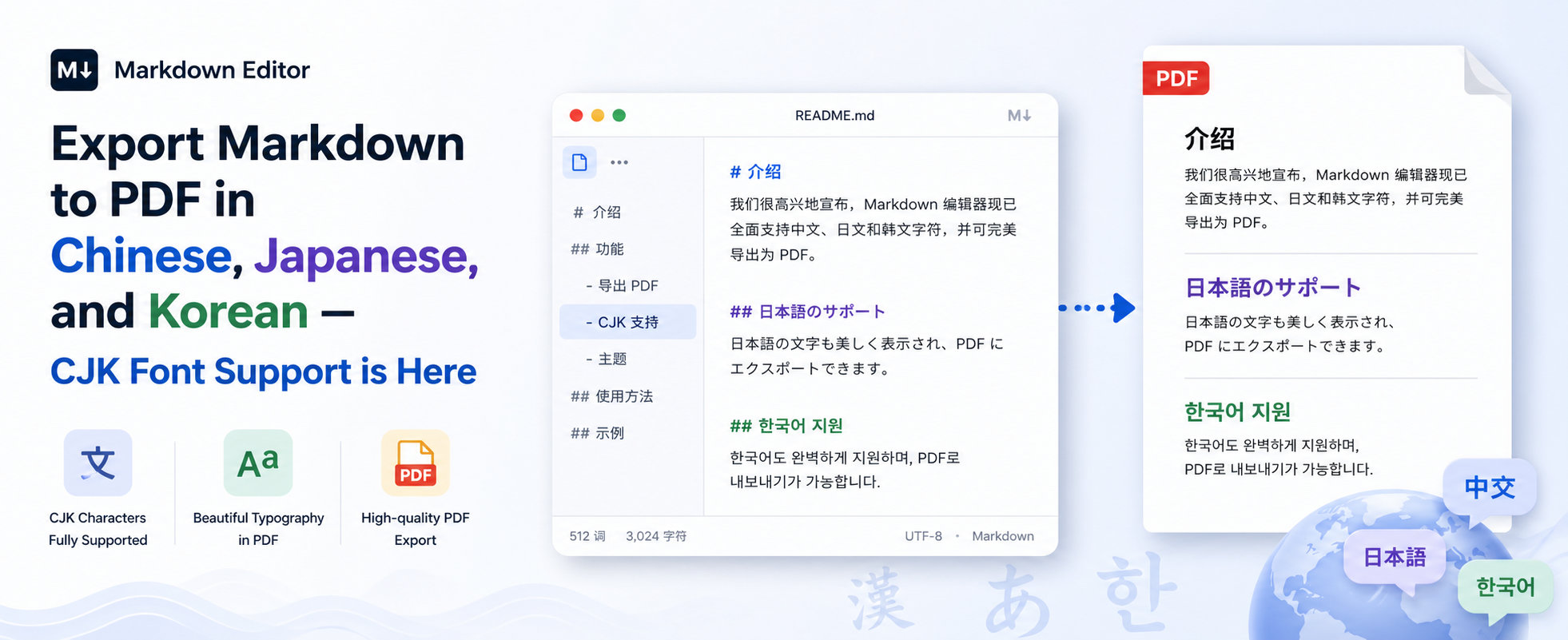
Until recently, if that language used CJK scripts — Chinese (中文), Japanese (日本語), or Korean (한국어) — exporting a Markdown document to PDF was painful.
Missing glyphs, tofu boxes (☐☐☐), fallback fonts that broke line-breaking rules, mixed-script paragraphs where every other character was a different size.
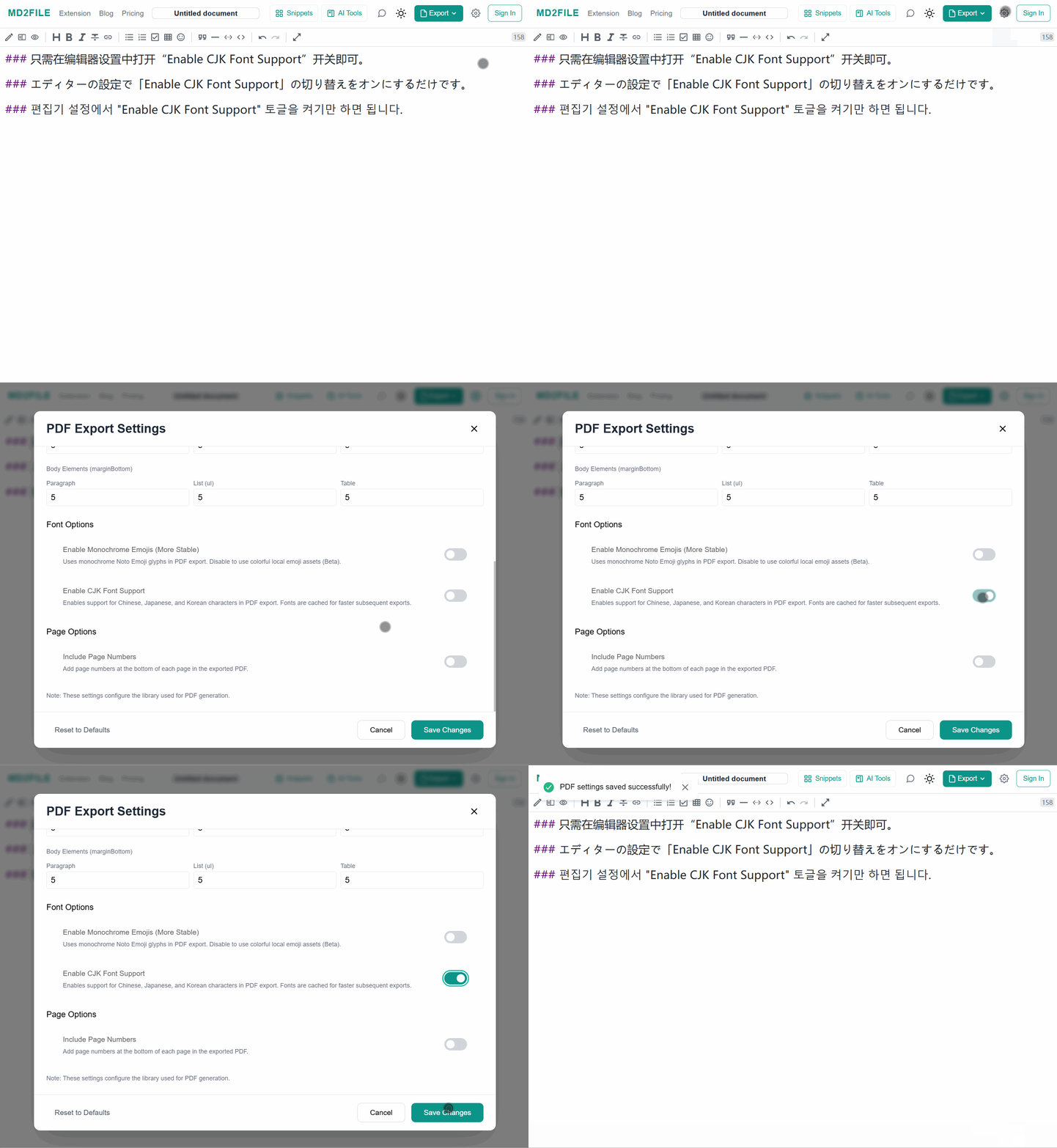
We've fixed it. As of this release, MD2FILE's PDF export renders CJK scripts natively, with proper typography, in every document — just turn on Enable CJK Font Support in PDF Export Settings.
What's new
- Full CJK coverage — Simplified Chinese, Traditional Chinese, Japanese (including kana and common kanji), and Korean Hangul are all rendered from bundled high-quality fonts.
- Mixed-script documents work correctly — a paragraph that combines English, Chinese, and a code block now exports with consistent baseline, weight, and spacing across all three.
- CJK line-breaking rules are respected — Japanese and Chinese text wraps at character boundaries without breaking grammatical units, and kinsoku-style punctuation handling avoids orphaned punctuation at line starts.
- Works everywhere PDF export works — the editor and the browser extension all use the same renderer, so a document exported from one surface looks the same everywhere.
See it in action
Here's the same document rendered in three scripts. The Markdown source on the left, the exported PDF on the right.
Simplified Chinese — 简体中文
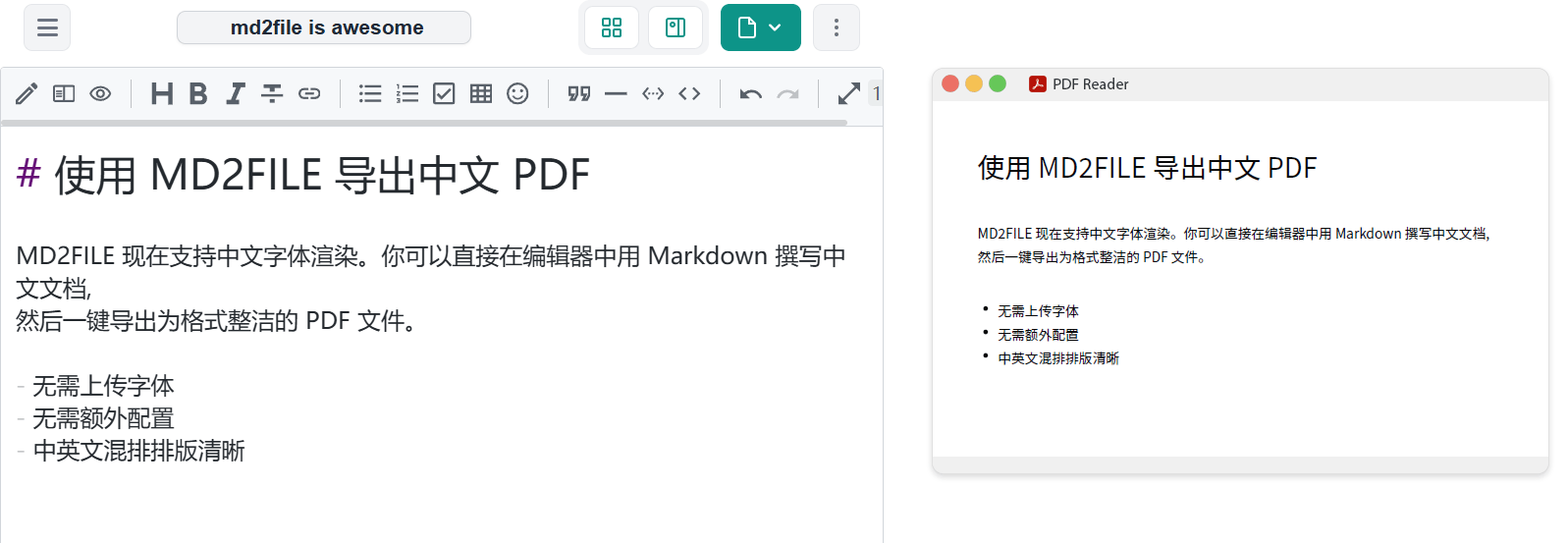
Sample source:
# 使用 MD2FILE 导出中文 PDF

MD2FILE 现在支持中文字体渲染。你可以直接在编辑器中用 Markdown 撰写中文文档,
然后一键导出为格式整洁的 PDF 文件。

- 无需上传字体
- 无需额外配置
- 中英文混排排版清晰
Japanese — 日本語
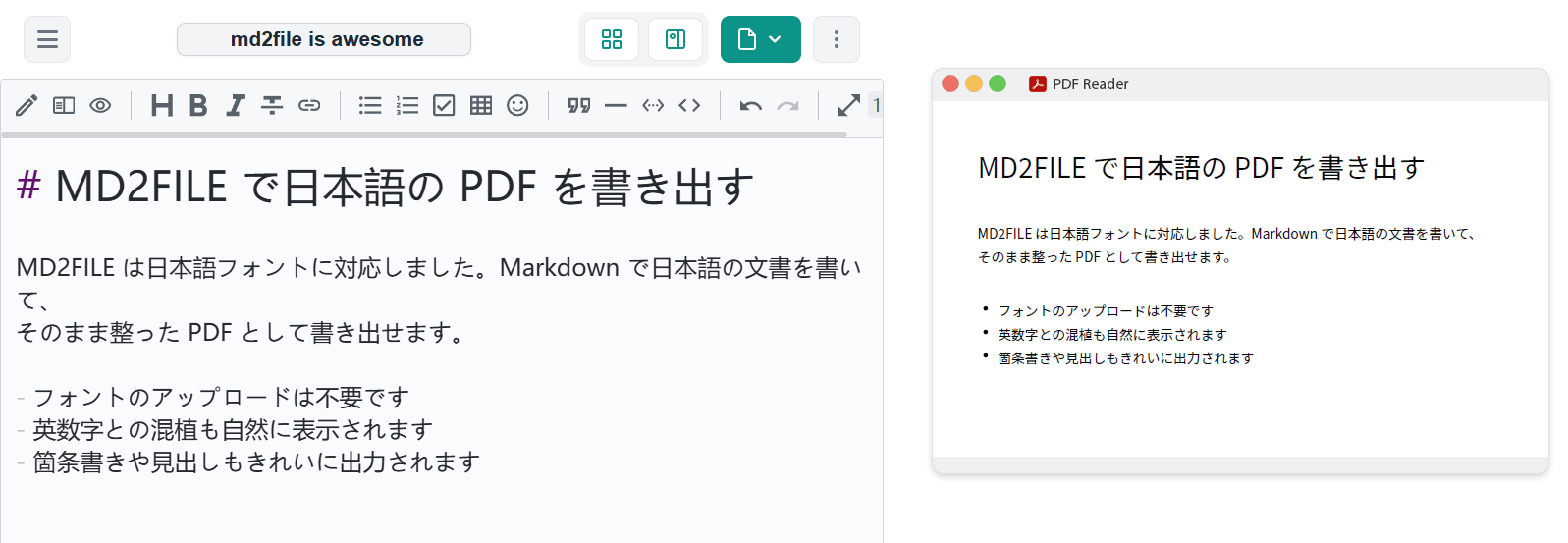
Sample source:
# MD2FILE で日本語の PDF を書き出す

MD2FILE は日本語フォントに対応しました。Markdown で日本語の文書を書いて、
そのまま整った PDF として書き出せます。

- フォントのアップロードは不要です
- 英数字との混植も自然に表示されます
- 箇条書きや見出しもきれいに出力されます
Korean — 한국어
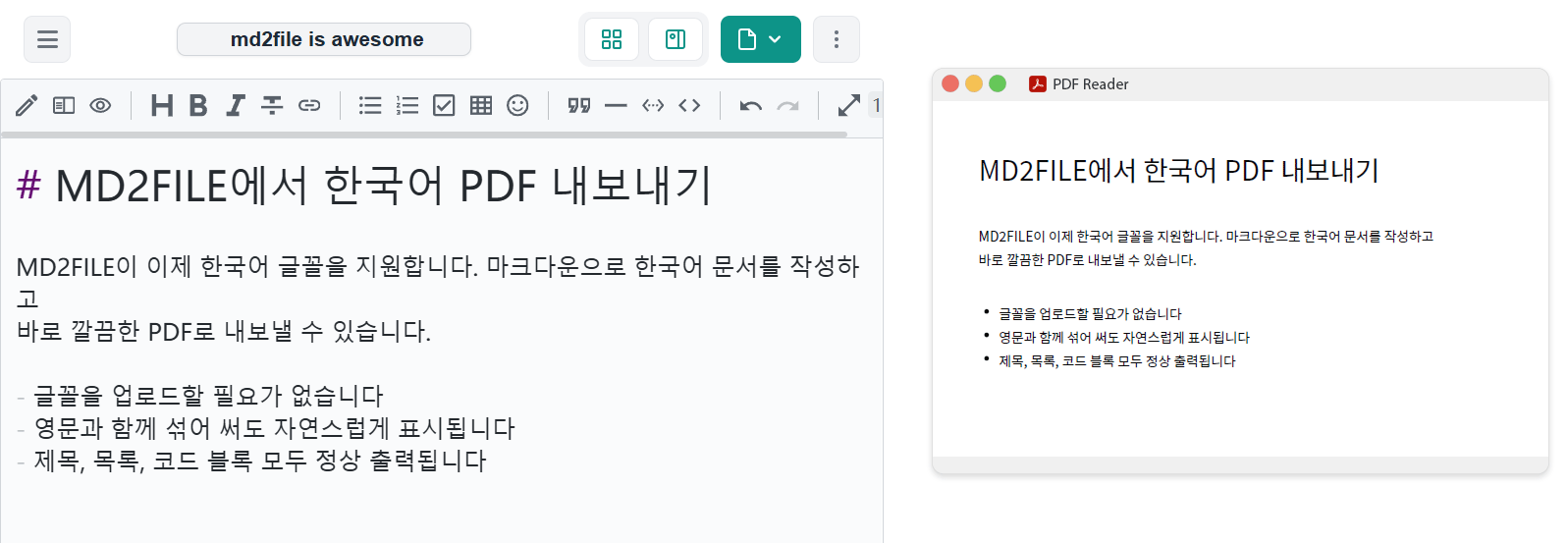
Sample source:
# MD2FILE에서 한국어 PDF 내보내기

MD2FILE이 이제 한국어 글꼴을 지원합니다. 마크다운으로 한국어 문서를 작성하고
바로 깔끔한 PDF로 내보낼 수 있습니다.

- 글꼴을 업로드할 필요가 없습니다
- 영문과 함께 섞어 써도 자연스럽게 표시됩니다
- 제목, 목록, 코드 블록 모두 정상 출력됩니다
Why this matters
Markdown is a universal format — but most Markdown-to-PDF tools assume a Latin-script world. If you've ever tried to export a README or a technical document that contained a product name in Japanese, a quote in Chinese, or a user testimonial in Korean, you know what goes wrong: the characters either disappear, get replaced with squares, or render in a jarringly different font that breaks the visual flow.
We think a Markdown editor should render what you wrote, no matter which script you wrote it in. CJK support is one step toward that. More scripts are on the roadmap.
How to use it
Open the editor, activate the "Enable CJK Font Support" toggle in the editor settings, write Markdown in any mix of supported scripts, and export as PDF. If you want to test the new support quickly, paste one of the sample blocks above and hit Export → PDF.
For the broader export workflow, including converter choices and formatting checks, see the Markdown to PDF conversion guide.
If you hit a glyph that doesn't render correctly, send us feedback with the Markdown source — we're actively expanding coverage for less common characters.
A note on scope
MD2FILE's interface stays in English. This release isn't a regional launch or a pivot toward any specific market — it's a typography upgrade for the PDF renderer, for anyone anywhere who writes in these scripts. If your document is in Chinese, Japanese, or Korean, it will now export cleanly. That's the whole change.
Ready to try it? Launch the editor →