# AI Chat Exporter
Save ChatGPT, Claude, Gemini and other AI conversations as clean, polished PDFs — in one click, right from the chat.
Chrome: 3 free exports/day • No sign-up to start
Safari supports ChatGPT, Claude and Gemini.
## Supported AI Platforms in Chrome
ChatGPT, Claude, Gemini, Grok, DeepSeek, Copilot and Perplexity — one extension for every chat.
 ChatGPT
 Claude
 Gemini
 Grok
Grok DeepSeek
 Copilot
 Perplexity
## Chrome Extension Features
Turn AI conversations into polished PDFs without leaving the page
One-Click Export
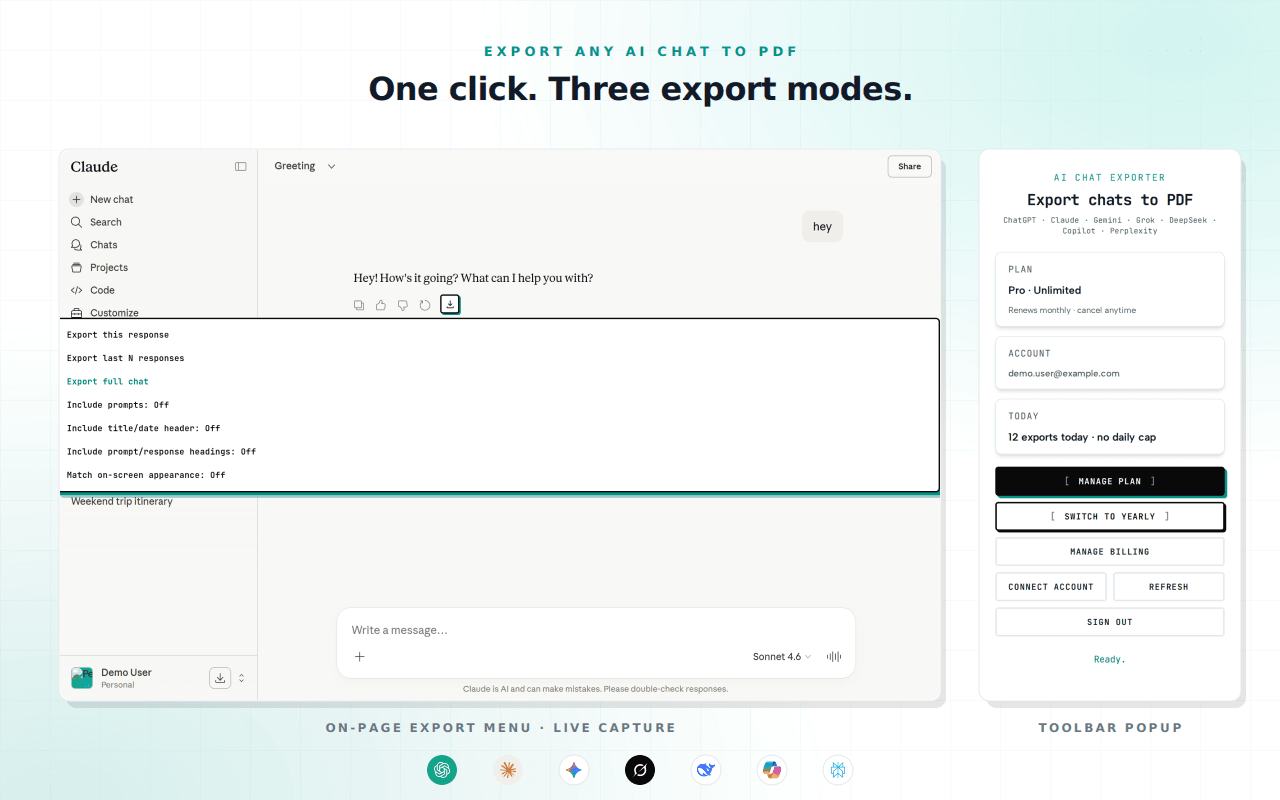
An export button appears right inside the chat. No copy-paste, no reformatting, no broken layouts.
Three Export Modes
Save just this response, the last few replies, or the entire conversation — your choice every time.
Clean, Shareable PDFs
Headings, code blocks, lists and structure are preserved. Free exports stay clean — no watermark.
7 AI Platforms
ChatGPT, Claude, Gemini, Grok, DeepSeek, Copilot and Perplexity, all from a single extension.
## How It Works in Chrome
From chat to PDF in under 30 seconds
Add to Chrome
Install AI Chat Exporter from the Chrome Web Store. No account is needed to get started.
Open any AI chat
Head to ChatGPT, Claude, Gemini or any supported assistant. The export button appears in the response toolbar automatically.
Pick a mode & export
Choose this response, the last few replies, or the full chat. Your PDF downloads instantly — formatting intact.
### Get Support
Found a bug or have a feature request? We'd love to hear from you!
## Export Your First Chat Free
Join people turning their best AI conversations into clean, shareable PDFs.
Chrome: 3 free exports/day · No sign-up to start
Safari supports ChatGPT, Claude and Gemini.